Creating an account on Gohelpme.pk is quick, simple, and completely user-friendly. If you are looking for a clear guide on how to create an account on Gohelpme.pk, this step-by-step tutorial will help you get started within minutes. Whether you want to donate, create a fundraising campaign, or explore trusted causes, signing up on Gohelpme.pk gives you full access to the platform’s features. In this guide, you will learn the complete registration process in an easy and beginner-friendly way so you can start using the platform without any confusion.
Step-by-Step Guide to Sign Up on Gohelpme.pk
Step 1: Go to the Login Page
Visit the official login page of Gohelpme.pk to start the registration process.
Step 2: Click on “Sign Up”
Click the Sign Up button to begin creating your new account.
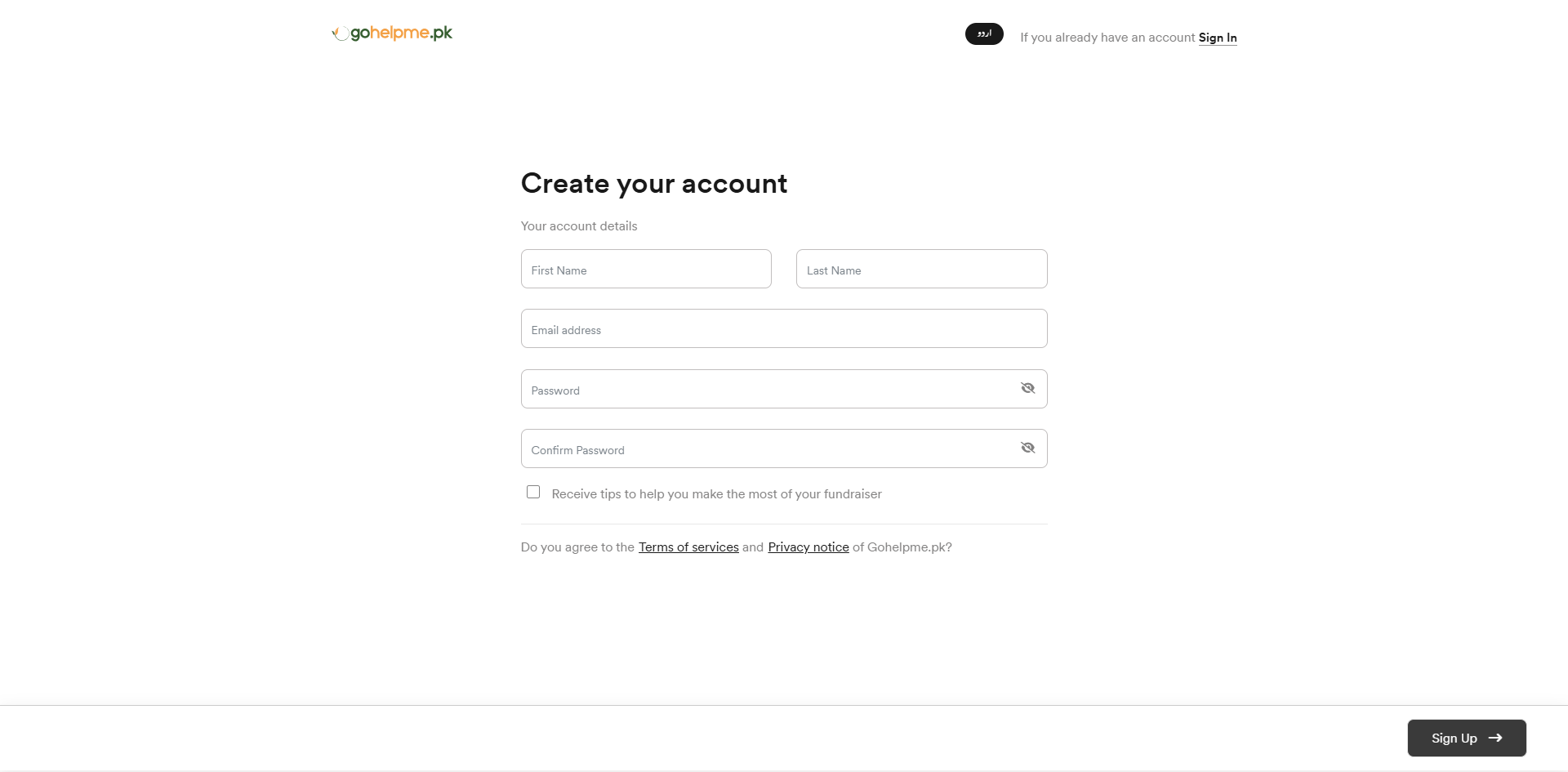
Step 3: Enter Your Details
Fill in the required information carefully, including:
- First Name
- Last Name
- Email Address
- Password
- Confirm Password (must be the same as above)
- Password Requirements
Your password must include:
- At least 8 characters
- At least 1 uppercase letter (A–Z)
- At least 1 lowercase letter (a–z)
- At least 1 number (0–9)
- At least 1 special character (such as @, #, $, %, &, etc.)
Example: Home123@
Step 4: Click the “Sign Up” Button
After filling in all details, click the Sign Up button to proceed.
You will be redirected to the phone verification screen. Enter your active mobile number. A verification code (OTP) will be sent via SMS.
Enter the code in the required field to verify your account.
If you do not receive the verification code, make sure:
- Your mobile number is entered correctly
- SMS or promotional messages are not blocked on your device
- Your mobile network is active and able to receive SMS
- Wait up to 5 minutes for the code
If the code still does not arrive, click Resend Code or contact support for assistance.
Step 6: Account Successfully Created
Once the verification is completed, your Gohelpme.pk account will be successfully created and ready to use.